New in the API GUI: Token Management Center & optional Two-Factor Authentication
We've added a new User Management section to the API GUI, giving you self-service control over your API token and the option to secure your GUI login with two-factor authentication (2FA).
Token Management Center 🔑
Head to https://api.alitiq.com/gui/user_management/token (or the new User Management link in the navigation bar) to see your current token, when it was last set, and when it expires.
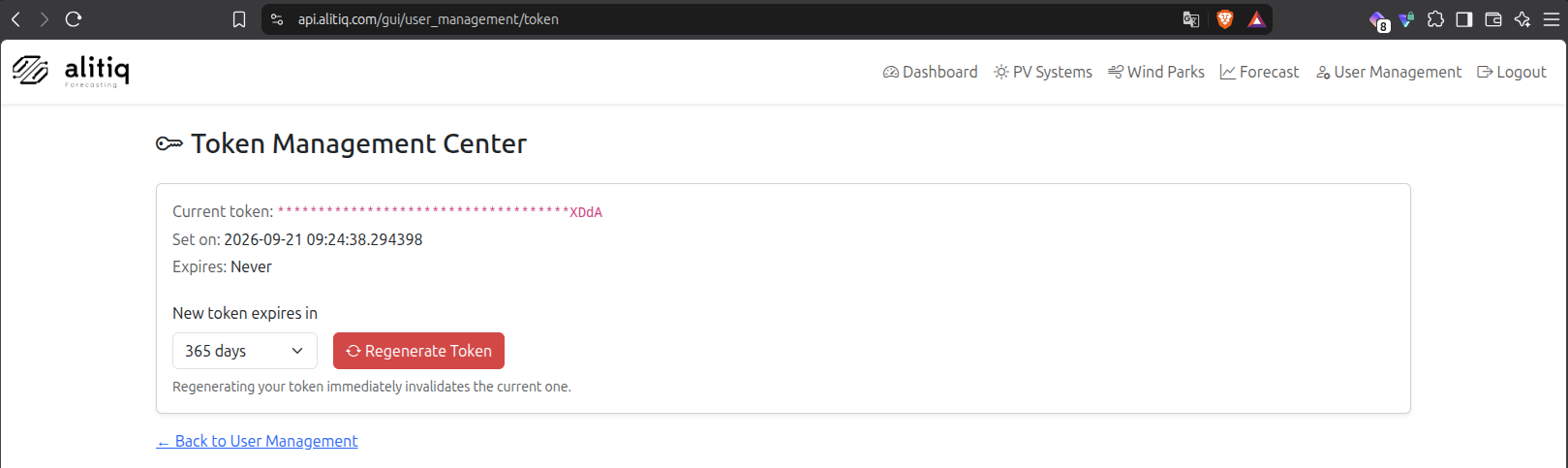
From here you can regenerate your token at any time:
- Pick an expiration for the new token - 30, 90, 180, or 365 days, or Never.
- Click Regenerate Token to issue a brand-new token immediately.
- The new token is shown once, right after generation - make sure to copy it before leaving the page.
Regenerating your token immediately invalidates the previous one, so update any scripts or integrations right away.
Optional Two-Factor Authentication (2FA) 🛡️
The same User Management section now lets you enable TOTP-based two-factor authentication (compatible with apps like Google Authenticator or Authy) for your GUI login:
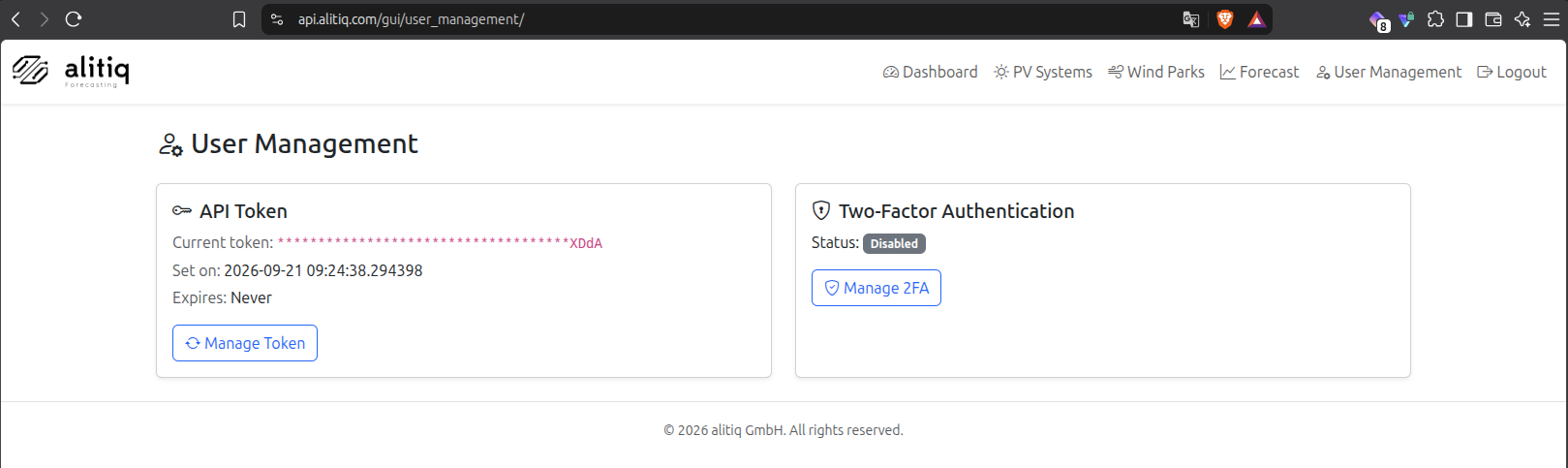
- Click Manage 2FA, then Set Up 2FA to get a QR code.
- Scan it with your authenticator app and confirm with the 6-digit code it generates.
- From then on, logging into the API GUI will ask for a fresh code from your app after you enter your
x-api-key.
2FA is optional and only applies to the GUI login - it has no effect on API requests made with your x-api-key header, so existing integrations keep working unchanged. You can disable 2FA again at any time from the same page (you'll need to confirm with a current code).
Expiry reminder emails 📧
If you set your token to expire rather than choosing "Never", we'll now email you automatically when it's about to lapse: a reminder goes out 10 days before expiration, with a link straight back to the Token Management Center so you can regenerate it in time. Tokens set to "Never" expire won't trigger any reminder.
Why we built this
Rotating credentials regularly and adding a second factor to your login are two of the simplest ways to keep your account secure. Both are now just a couple of clicks away in the GUI - no need to contact support to get a new token.
Questions or feedback? Reach out to support@alitiq.com.