🔋 Flag self-consumption PV locations
Many of the solar sites in your portfolio don't feed everything they produce into the grid — they power a building, a factory, or a farm first, and only the surplus reaches the meter. To make that distinction explicit, you can now mark any PV location as a self-consumption site.
✨ What's new
Every PV location now carries a self_consumption flag:
- Type: boolean
- Default:
false - Scope: location-level (applies to the whole plant, not a single subsystem)
The flag is stored alongside the rest of your location configuration and is returned whenever you list your portfolio, so your own tooling can cleanly separate grid-feeding plants from behind-the-meter self-consumption sites.
🧭 Set it in the API GUI
When you add a new system in the API GUI, the location step now includes a Self-consumption location checkbox. Tick it for sites that consume part of their own generation — that's all it takes.
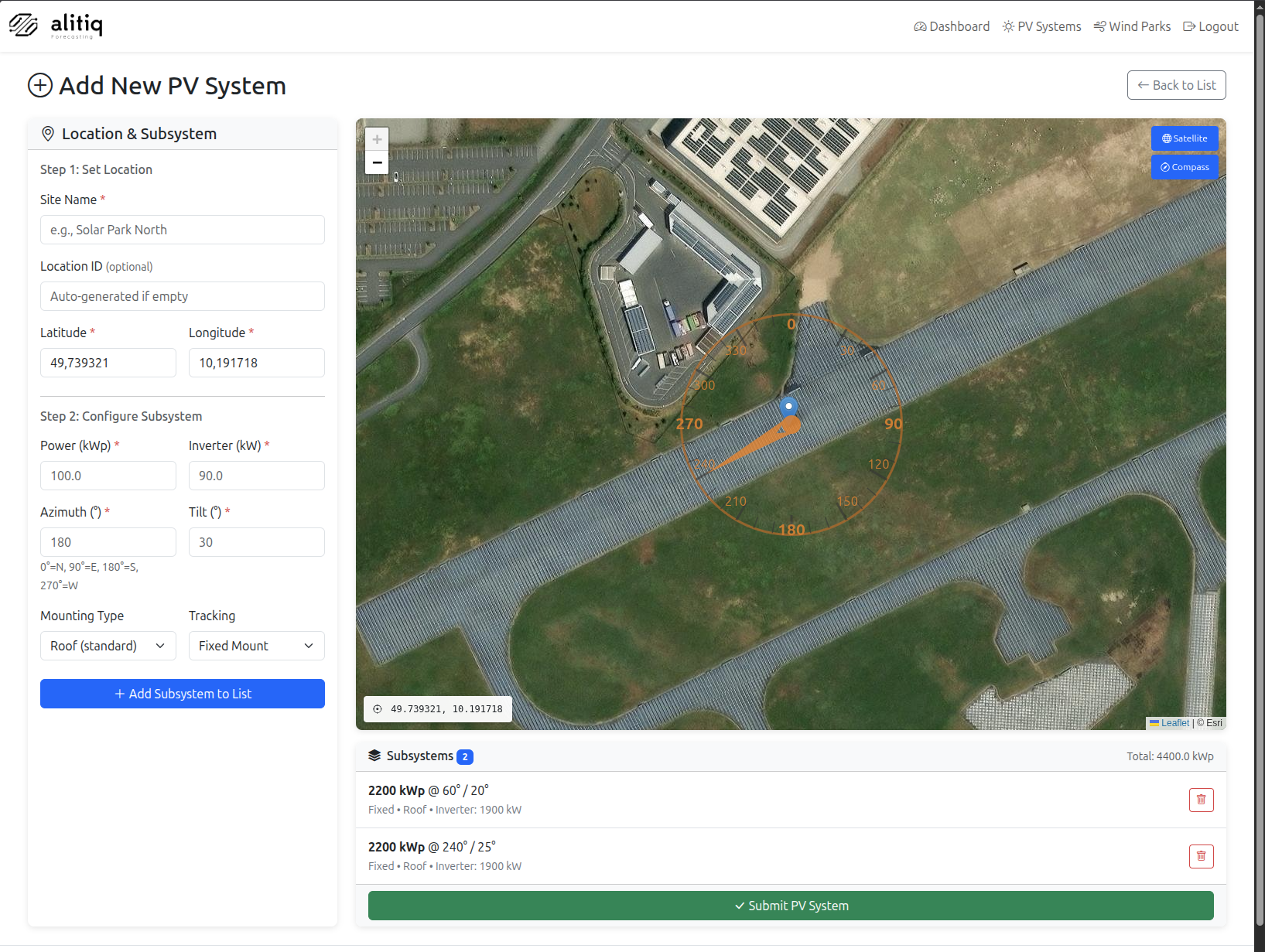
While you're there, you'll also notice the portfolio overview now reports your total installed capacity in MWp, which is a friendlier unit once your portfolio grows beyond a handful of rooftops.
🔌 Set it via the API
For automated workflows, add self_consumption to your pv_systems/add/ payload:
{
    "location_id": "12",
    "site_name": "factory_roof",
    "latitude": 48.9,
    "longitude": 10.3,
    "installed_power": 320,
    "installed_power_inverter": 300,
    "azimuth": 180,
    "tilt": 13,
    "temp_factor": 0.033,
    "mover": 1,
    "self_consumption": true
}
Already configured a site and want to flip the flag? Use the update endpoint — no delete-and-recreate required:
curl --request PUT \
  --url https://api.alitiq.com/solar/pv_systems/update/ \
  --header 'Content-Type: application/json' \
  --header 'x-api-key: {api-key}' \
  --data '{
    "location_id": "12",
    "subsystem_id": 5599,
    "self_consumption": true
}'
📋 Read it back
The flag shows up in the pv_systems/list/ response, both in the JSON payload and in the GUI's system-details panel, so you can confirm the setting at a glance.
🐍 Set it via the Python SDK
The alitiq Python SDK exposes the flag directly on SolarPowerPlantModel:
from alitiq import alitiqSolarAPI, SolarPowerPlantModel

solar_api = alitiqSolarAPI(api_key="your-api-key")

plant = SolarPowerPlantModel(
    site_name="factory_roof",
    location_id="SP123",
    latitude=48.160170,
    longitude=10.55907,
    installed_power=1000.0,
    installed_power_inverter=950.0,
    azimuth=180.0,
    tilt=25.0,
    self_consumption=True,
)

response = solar_api.create_location(plant)
print("Location created:", response)
🗺️ Availability
- ✅ REST API (
addandupdate) - ✅ cURL
- ✅ API GUI
- ✅
alitiqPython SDK (SolarPowerPlantModel.self_consumption)
For the full walkthrough, see Manage your PV portfolio.
Questions or feedback? Reach us at support@alitiq.com.