Weather Observations 🌡️
The endpoint for querying weather observations is observation or observation_global, with service tiers such as daily, hourly, and search.
Endpoints:
https://api.alitiq.com/weather/observation/?https://api.alitiq.com/weather/observation_global/<service>/?
Endpoint: Observation
https://api.alitiq.com/weather/observation/?
This endpoint allows you to request measurement data from the German Weather Service (DWD) and other weather services with a 10-minute resolution. The following regions are supported:
- Germany
- Switzerland
- Austria
- Denmark
- Netherlands
- France
- Italy
- Spain
- Greece
ℹ️ Note:
Not all weather parameters are available at a 10-minute resolution (some are only reported hourly). If a parameter is unavailable at a 10-minute resolution, the return value will be -9999.
For a broader selection of weather parameters, use the observation_global endpoint with hourly/daily resolution.
Weather observations can be queried using station names or coordinates. If you provide coordinates or a postal code, the nearest weather station will be determined, and its data will be returned.
Available Parameters
| Parameter | Description | Type |
|---|---|---|
| station_name | Optional. Name of the station, as specified in the station list. | string |
| response_format | Format of the response: csv, json, or html. CSV and JSON are standard pandas DataFrame outputs. |
string |
| latitude | Optional. WGS84 coordinates in the north-south direction (e.g., Google Maps coordinates). | float |
| longitude | Optional. WGS84 coordinates in the east-west direction (e.g., Google Maps coordinates). | float |
| zip_code | Optional. German postal code. The geographic center of the postal code area is used as the reference point for data retrieval. Example: 86153. |
string |
| city_name | Optional. City or location name in English. Ensure correct spelling for successful geolocation. Example: Munich, Berlin, London. |
string |
| start_date | Optional. Start of the query interval in UTC format YYYY-MM-DDTHH:mm:SS. Example: 2019-12-09T00:00:00. |
string |
| end_date | Optional. End of the query interval in UTC format YYYY-MM-DDTHH:mm:SS. Example: 2019-12-09T23:59:59. |
string |
Default Behavior:
If start_date and end_date are not specified, the data for the last 24 hours will be returned.
Location Requirements
To specify the location, you must provide one of the following combinations:
1. zip_code
2. latitude and longitude
3. station_name
Example Request:
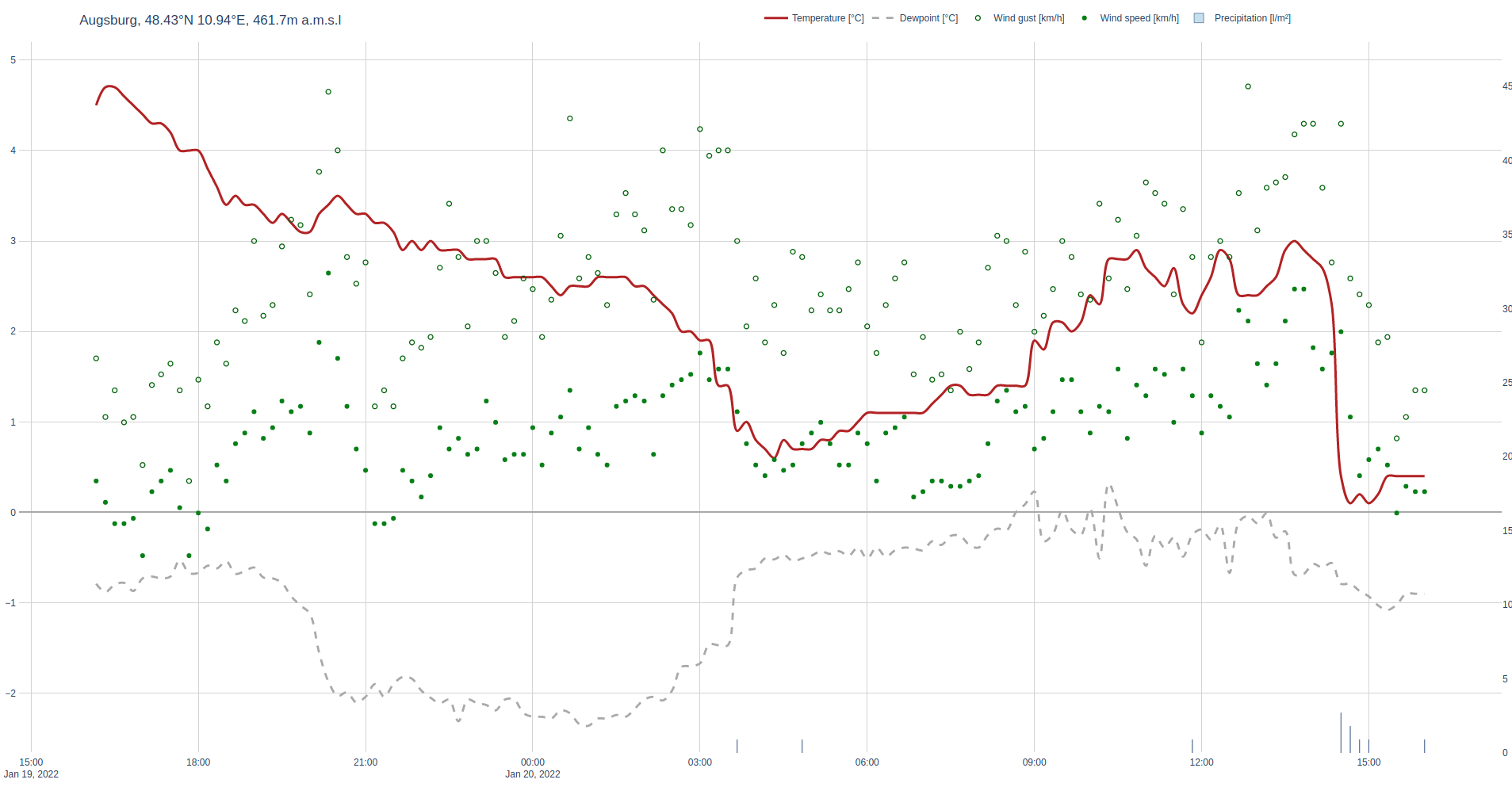
Example html response Plot